Bring your financial records together and plan toward your goals. Your records stay encrypted on your iPhone. When you want an AI perspective, you decide whether to share a summary.
Notify me when MoneyVi launches.
Leave your email for launch news and important product updates. The app isn’t available yet. Unsubscribe anytime.
See the full picture—and where the numbers come from.
Bring records from different accounts and currencies into one view.
See your income, spending, assets and debts together.
Check where the numbers came from and what still needs your review.
View larger image
Demonstration data shown.
Plan toward your goals. See how reality compares.
Set goals and plans using your own numbers.
Compare each month’s actual results with your plan.
See the gaps and adjust your next plan.
Creating and editing plans and goals requires Plus.
Set a goal from your own numbers — and see the pace as a range, not a promise. Demonstration data shown.
Understand your finances with the AI you trust.
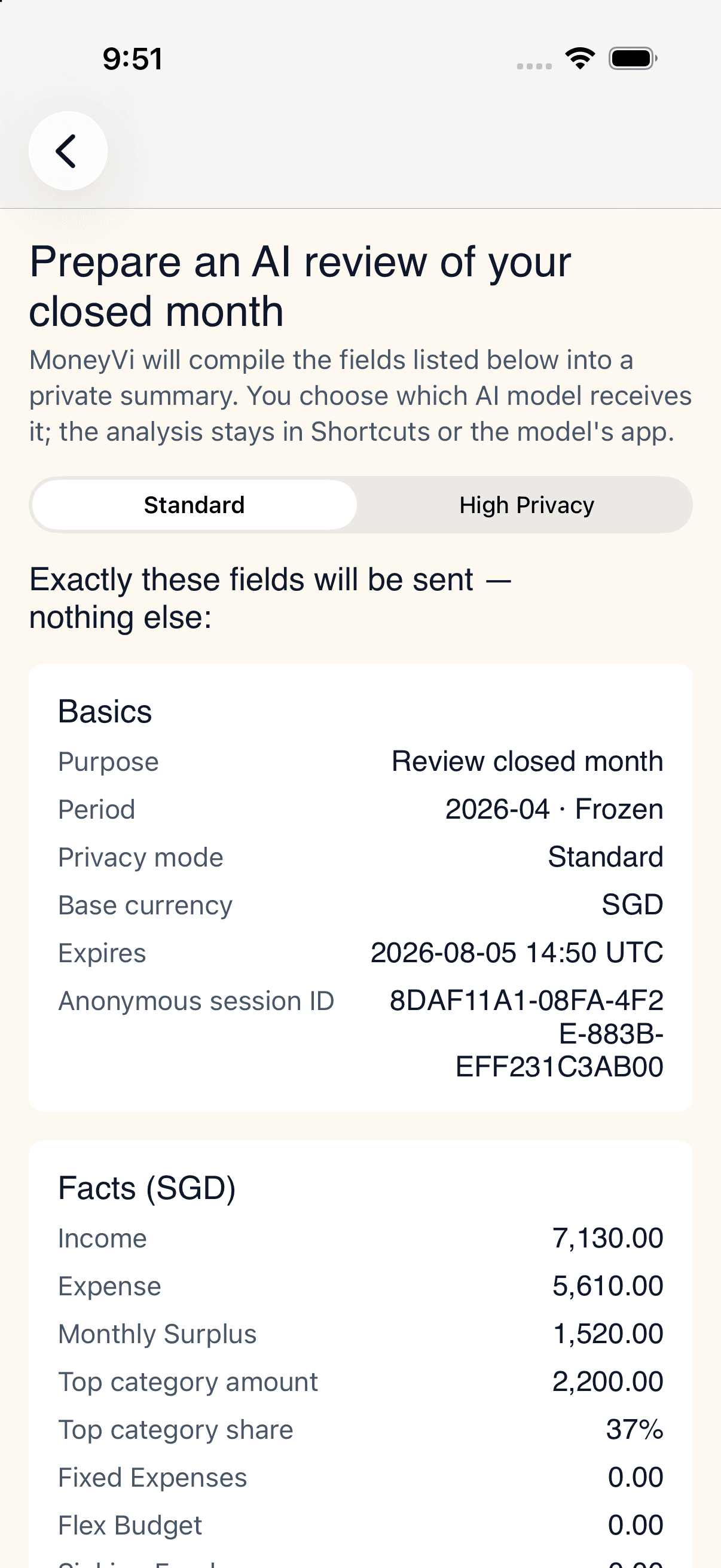
Bring your own financial picture into the conversation. Preview MoneyVi’s summary of your latest closed month, then decide whether to share it with a compatible AI.
See what you are about to share.
Choose a privacy level before sharing.
Confirm each share; keep your source ledger on your iPhone.
A detail view of the content and privacy choices before sharing. Demonstration data shown.
Start with your records. Add planning when you need it.
Free
Start with clearer records.
Organize your records, check the numbers and review each month.
MoneyVi Plus Paid plan
Make a plan for your goals.
Create and edit your plans and goals.
Common questions
Will my ledger be uploaded to AI?+
Your core ledger is encrypted on your iPhone. When you choose to export or share, the selected information goes to your chosen destination; its data-handling terms apply to that copy.
Can I use an AI I already trust?+
Use the iOS Share Sheet to send a summary of your latest closed month to a compatible tool. For a Shortcut route, install the corresponding MoneyVi Shortcut first. You can preview the content before sharing. The analysis continues in your chosen tool; its replies do not automatically change your MoneyVi records or plans.
What happens when Plus expires?+
Free remains available, and existing records, plans and generated reports stay readable. Creating and editing plans and goals requires active Plus.
You decide what to share, when, and with whom.
Notify me when MoneyVi launches.
Leave your email for launch news and important product updates. The app isn’t available yet. Unsubscribe anytime.